How to Download TikTok Videos Without Watermark
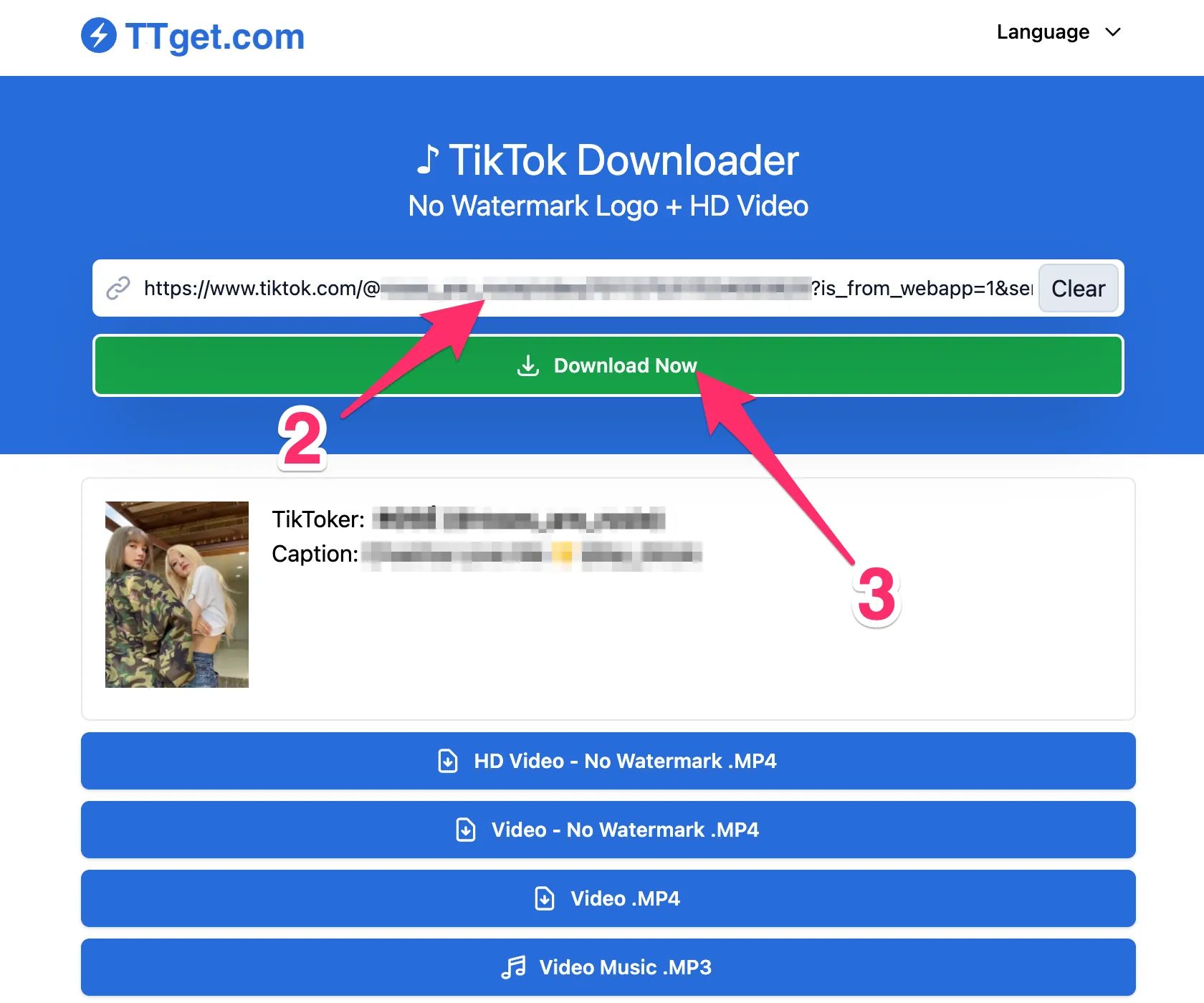
Learn how to download TikTok videos with TTGet. Just copy a link from TikTok and paste it into the input box on the website. Then press the "Download" button and wait for the video to be processed. After that, you can choose the video quality and format to download.
Go to the downloader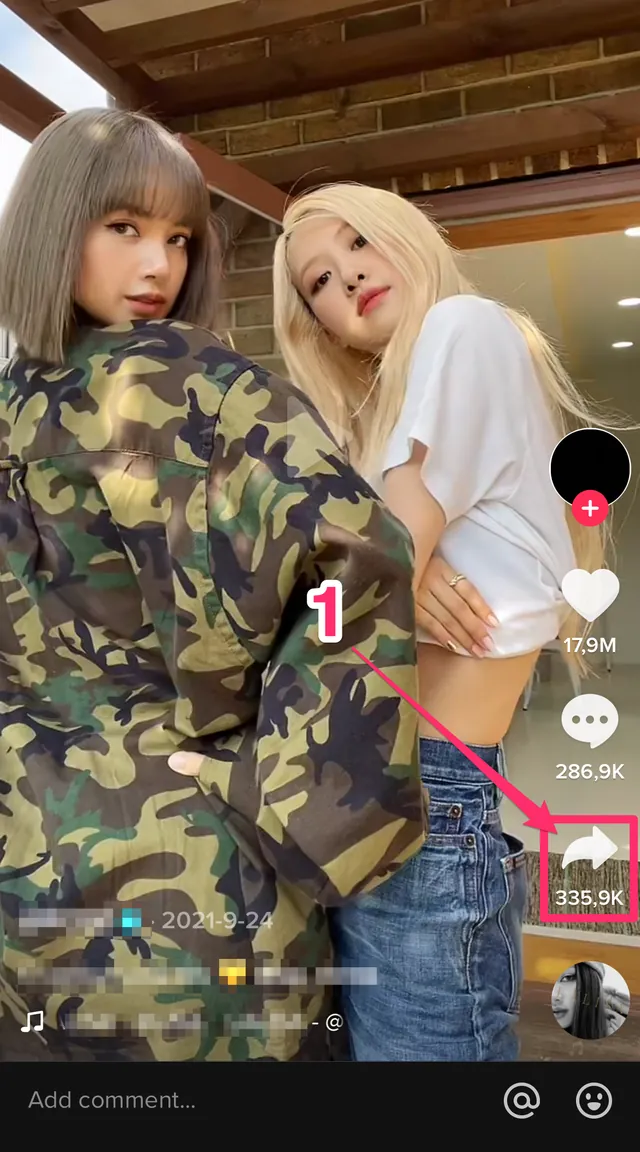
1. On TikTok App, tap Share.
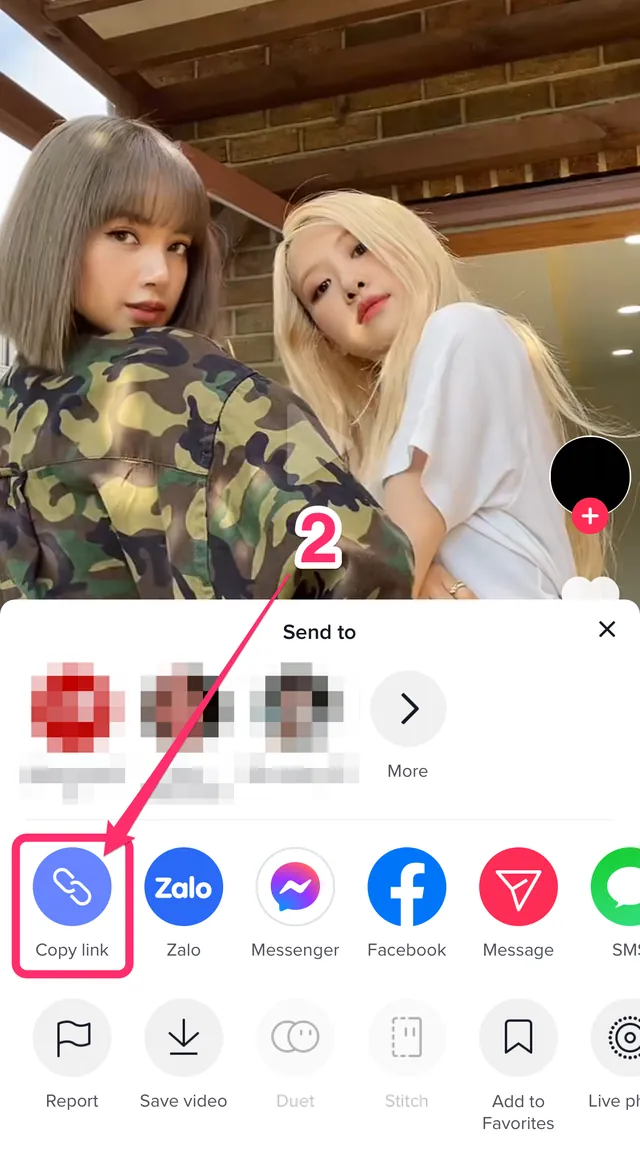
2. Tap Copy link.
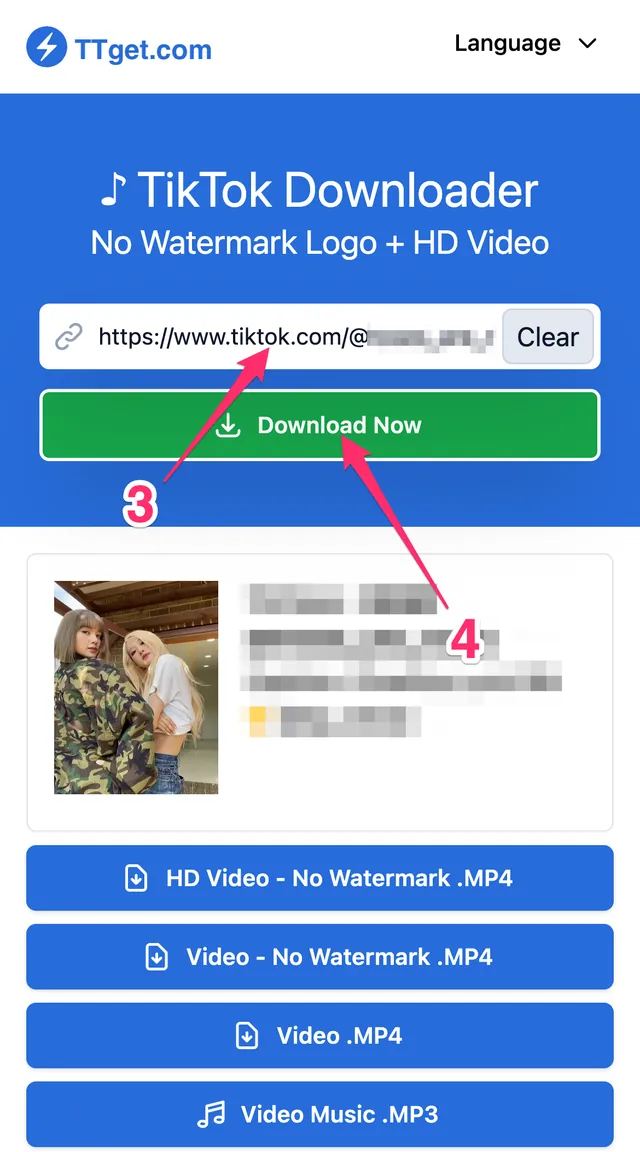
3. Open ttget.com. Paste the copied link into the input box.
4. Tap Download Now. All download options will show after a few seconds.
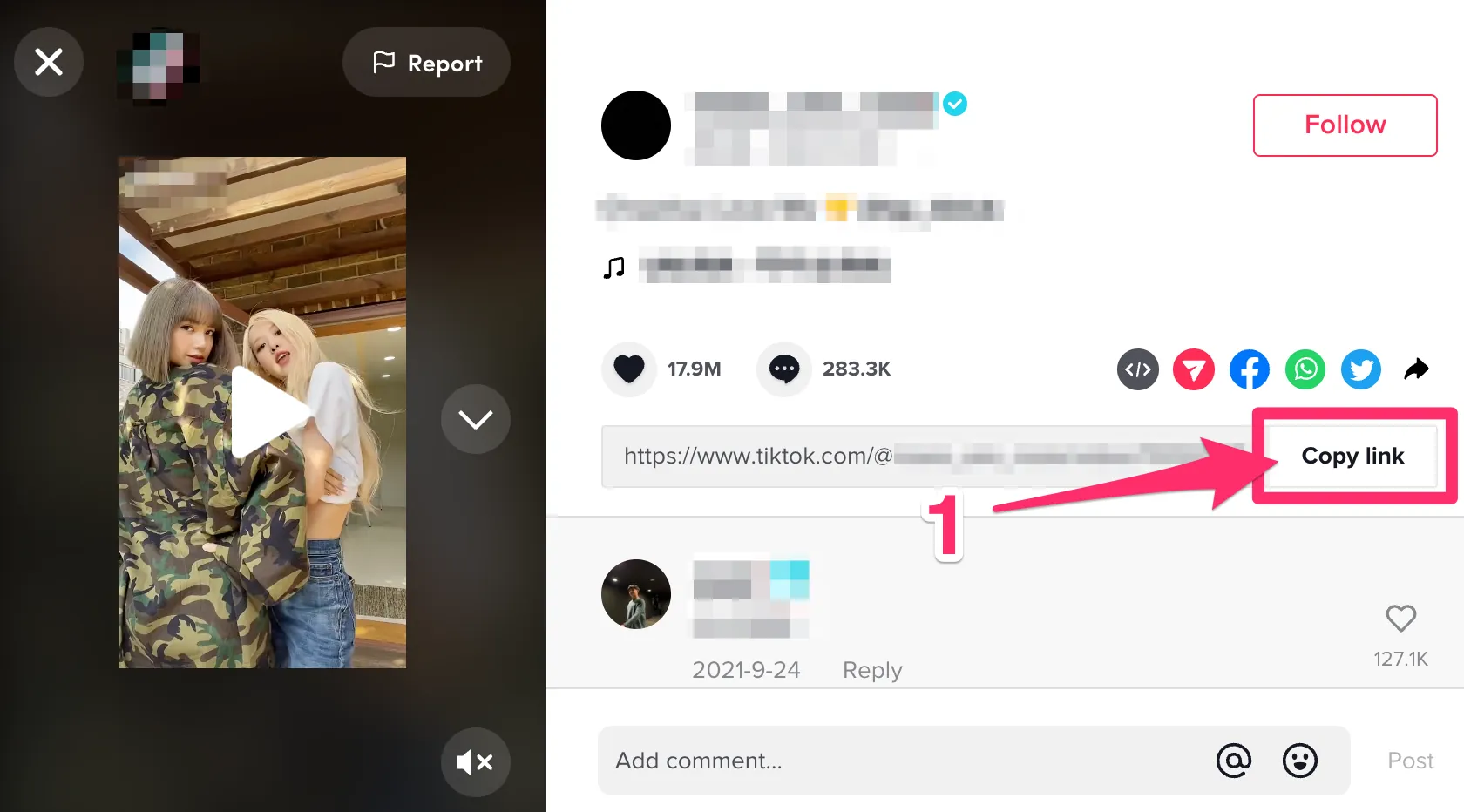
1. Go to website tiktok.com. Select a video to download.
2. Click Copy link.
3. Open ttget.com. Paste the copied link into the input box.
4. Tap Download Now. All download options will show after a few seconds.